Publishing a website app on Google Play takes an App Bundle (AAB), a Google Play developer account, a store listing with the right-sized assets, a set of policy declarations, and — for new personal accounts — a closed test with real testers before production is unlocked. None of it is hard, but each step has a requirement that fails silently if you skip it. This guide goes through them in the order the Play Console presents them.
Step 1 — Build the right thing
Play requires an AAB for new apps, not an APK, and every upload must be signed with the same upload key. Both are Pro features: build the AAB with a key you generate once (or upload your existing one) and keep that key. Before the build, settle the two things you cannot change later: the package name, which is the app's identity on Play forever, and a version code scheme, because every later upload needs a higher one.
Step 2 — The developer account
A Google Play developer account costs a one-time $25 and needs identity verification — a government ID for a personal account, a D-U-N-S number for an organisation. Verification can take a few days, so start it before the app is finished. Personal accounts created since late 2023 have an extra requirement covered in step 5.
Step 3 — Create the app and the store listing
In the console, "Create app" asks for the name, default language, whether it is an app or a game, and free or paid. Then the store listing wants assets in exact sizes:
| Asset | Requirement |
|---|---|
| App icon | 512 × 512 PNG, no transparency, square corners |
| Feature graphic | 1024 × 500 JPG or PNG |
| Phone screenshots | At least 2, each side 320–3840 px, 16:9 or 9:16 |
| Short description | Up to 80 characters |
| Full description | Up to 4,000 characters |
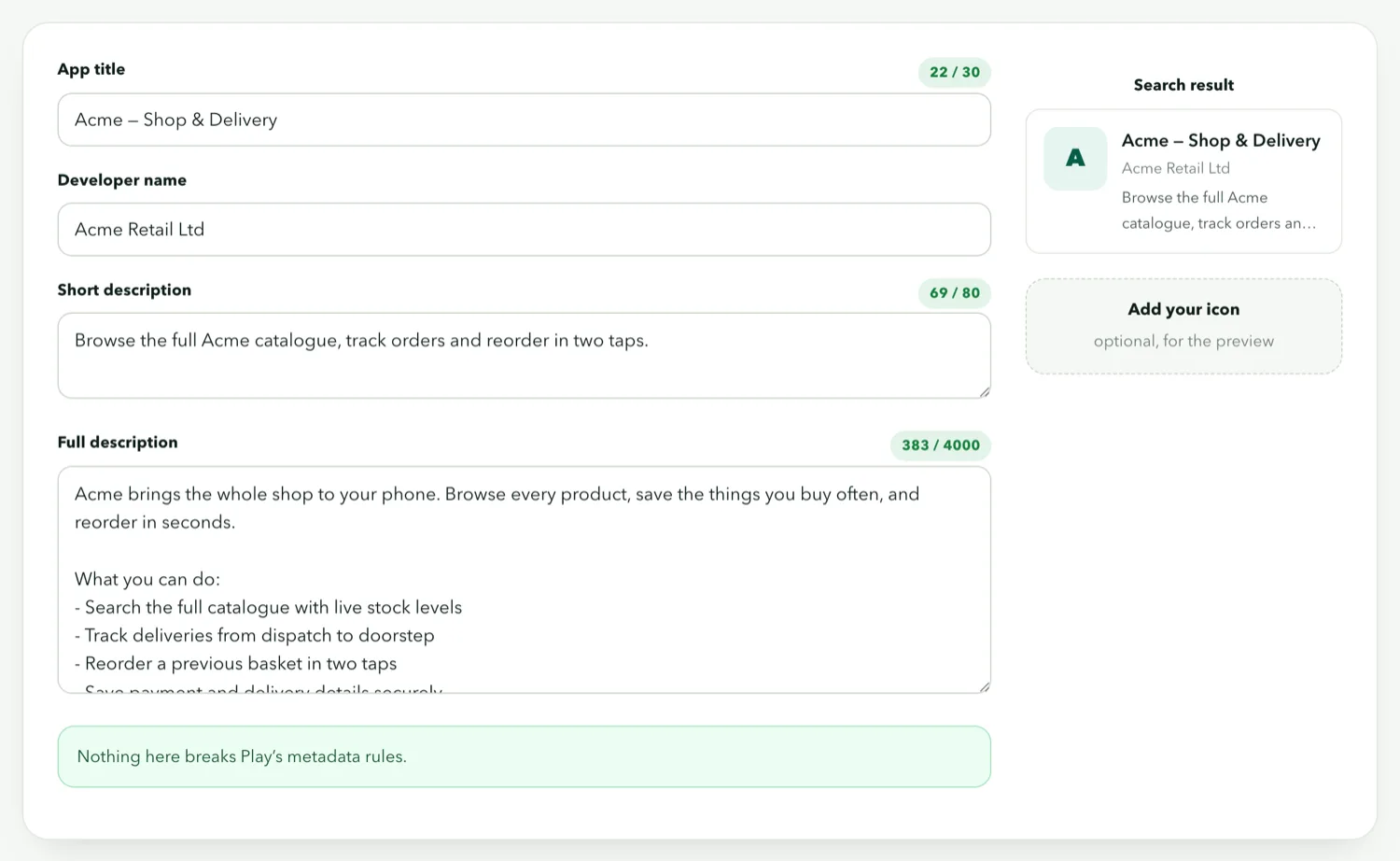
Screenshots of a website app are screenshots of the app running on a phone, not of the website in a browser. Take them on a real device or an emulator and resize them to a consistent size; the previewer shows the listing as Play will render it:
Step 4 — The policy forms
Every app completes a set of declarations before it can be released, and they are where website apps get stuck:
- Privacy policy URL. Required for almost every app. It can be a page on your website; it must be reachable and must describe what the app collects.
- Data safety. What data the app collects and shares. A URL app collects whatever the website collects — cookies for sessions, analytics if the site has them, and the device's location only if you enabled that permission. Answer for the site, not the shell.
- Content rating. A questionnaire. A shop or blog is "Everyone" unless it sells restricted goods.
- Target audience. If the app is not designed for children, say so; declaring a children's audience triggers a much stricter policy set.
- Ads. If your website shows ads, the app shows ads. Declare it.
Step 5 — Testing tracks, in order
Play has internal, closed, open and production tracks. Since November 2023, new personal developer accounts must run a closed test with at least 12 testers opted in for 14 continuous days before they can apply for production access. Organisation accounts are exempt. Plan for it: recruit testers (friends, customers, a mailing list), upload to the closed track, and keep the test running while you finish the listing. Internal testing (up to 100 testers, no review) is the quickest way to check the AAB installs before that.
Step 6 — The review that rejects website apps
Play's minimum functionality policy says an app must provide value beyond what a browser bookmark would. A bare WebView — your site, nothing else — is rejected under it, and "webview spam" is a named reason. What reviewers look for is native behaviour: a splash screen, a bottom tab bar, push notifications, offline content. A site converted with those switched on reads as an app; the same site with none of them reads as a bookmark. Also make sure the listing does not overpromise — screenshots must show what the app does.
Review usually takes a few days for a first submission. Rejections come with a policy reference; fix the thing named, resubmit, and do not resubmit unchanged.
After you are live
Updates are a new AAB with the same package name, the same upload key and a higher version code. For a URL app, most site changes need no update at all — only changes to the app itself. Watch the Android target-API requirement: Play requires apps to target a recent Android version within a year of each release, and a build that is too old will eventually be refused. The builder keeps its shell current, so an occasional rebuild handles it.