Every Android app carries two version fields. versionName is a free-text label shown to people: "1.0", "2.3.1", "Spring 2026". versionCode is a positive integer that nobody sees and that decides everything: Android will only install an APK over an existing one if its versionCode is equal or higher, and Google Play will only accept an upload whose versionCode is higher than every previous upload. Get the name wrong and it looks odd. Get the code wrong and you cannot ship.
The rule that matters
Each release must have a versionCode strictly greater than the last one you published. Not equal — Play refuses a duplicate — and not lower. It does not need to increase by one; 1, 2, 10, 11, 200 is a perfectly valid history. The maximum is 2,100,000,000, which sounds unreachable until someone uses a date-time stamp like 202609111430 and hits it on the first build.
For a website app that updates itself by URL, you may go months without a new build. When you do build — a new icon, a tab added — bump the code. The builder will not let two builds of the same project share one.
Schemes worth using
| Scheme | Example | Good for |
|---|---|---|
| Just count | 1, 2, 3 … | Anyone. Simple, never wrong |
| Derived from the name | 1.4.2 → 10402 | Teams that want the code to explain itself |
| Date-based | 2026-09-11 → 20260911 | Frequent releases; leaves room for a suffix |
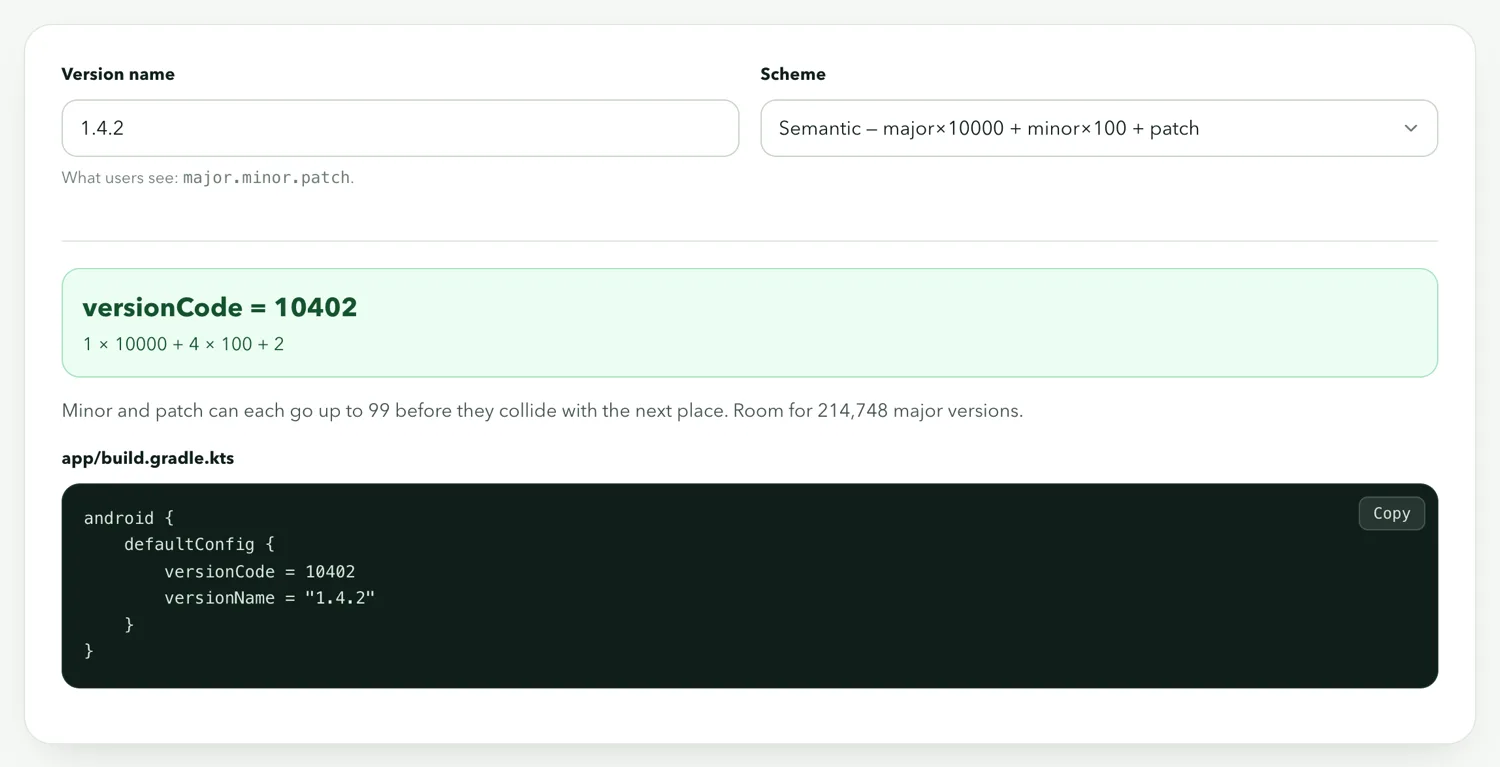
The derived scheme — major × 10000 + minor × 100 + patch — is what the generator produces, and it has the nice property that the code is always higher when the name is higher:
What versionName should say
It is shown in Play's "What's new" area, in the phone's app-info screen, and nowhere that matters technically. Use whatever your users would understand. Semantic versioning (1.4.2) is conventional; a date (2026.09) is fine for a content app. It does not have to increase and Play does not check it — but users do notice a "2.0" that follows a "3.1".
What users experience
An update is a new APK or AAB with the same package name, a higher versionCode, and the same signing key. All three, or it is not an update: a different package name is a second app, a lower code is refused, and a different key is refused with a "signature does not match" error that no amount of version bumping fixes. Data — logins, local storage, preferences — survives an update and is lost on an uninstall.
Practical habits
- Start at
1/1.0. There is no reason to start higher. - Bump the code for every build you might distribute, even a test one. A tester with code 5 cannot install your "fixed" build if it is also code 5.
- Keep a note of the latest code alongside your package name and signing key.
- Never encode the full date and time. Year-month-day plus a two-digit counter (
2026091101) fits under the ceiling for a very long time.