Converting a website to an app from its URL means the app contains no copy of your site at all. It contains a full-screen WebView pointed at your address, plus everything a phone expects an app to have: an icon, a name, a splash screen, a package identity and a signature. When someone opens it, the WebView loads your live site exactly as Chrome would — same HTML, same cookies, same server. Publish a change on the web and it is in the app the next time it opens, with nothing to rebuild.
That makes the URL route the right one for any site that is generated on a server or changes often. It also means the app inherits your site's behaviour, good and bad, so it is worth knowing what changes when a page runs inside an app.
What the app does with your site
Three things, all invisible when they go right:
- Frames it full-screen. No address bar, no tabs, no browser menu. Your site's own navigation is now the only navigation, which is why sites with a clear header and menu convert well and sites that rely on the browser's back button convert badly.
- Keeps the session. Cookies and local storage persist between launches, so a user who logged in yesterday is still logged in today. This is the same behaviour as a browser that is never closed.
- Handles the hardware. The Android back button steps back through your pages until there is nowhere to go, then closes the app. Rotation, the keyboard, file uploads and permission prompts are wired to your pages the way a browser would wire them.
Logins, payments and third-party sign-in
Ordinary username-and-password logins work unchanged. Two things need attention:
- "Sign in with Google" and similar. Google blocks its sign-in page inside embedded WebViews. If your site offers Google login, expect that button to fail inside the app unless your site opens it in a real browser tab. Email login, magic links and most other providers are fine.
- Payments. Card forms and hosted checkouts (Stripe, PayPal, Shopify's checkout) work. Anything that pops a new window needs the site to handle
target="_blank"gracefully, since the app has no tab bar to put a second window in.
Links to other sites
A link to another domain is the classic WebView mistake: the user taps a link to your supplier's site and is now trapped inside your app with no way to get back to yours. The builder opens links to other domains in the phone's browser, so your app stays yours. Links within your own domain stay inside the app. If your site spans several domains — a shop on one, a blog on another — think about which one the app should own.
What happens offline
A URL app needs a connection for every screen, the same as a browser. That is the honest trade-off against a bundled app, and it is not a problem for a shop or a dashboard that needs the server anyway. What it must not do is show a browser error page with your app's icon over it. The builder shows a clean offline screen instead, and if your site has a service worker, cached pages continue to work.
The settings that make it feel like an app
A URL app with nothing else is a bookmark with an icon. These are what make people stop noticing the difference:
| Setting | What it does | Tier |
|---|---|---|
| Theme colour | Colours the status bar to match your site's header, so the top of the screen is not a stranger's grey | Free |
| Page loader | A branded indicator while a page loads, instead of a white flash | Free |
| Pull to refresh | The drag-down gesture users expect from feeds and lists | Free |
| Permissions | Camera, microphone and location, granted through the normal Android prompt when your pages ask | Free |
| Splash screen | Your icon and colour on launch, hiding the first page load | Pro |
| Bottom tab bar | Native tabs pointed at sections of your site — Home, Shop, Account — with icons | Pro |
| Push notifications | Reach users who are not currently on the site | Pro |
| Onboarding | Intro slides before the first page | Pro |
The tab bar is the one that changes the experience most. Sites are organised in sections already; giving those sections native tabs turns a scrolling page into an app that people navigate by thumb.
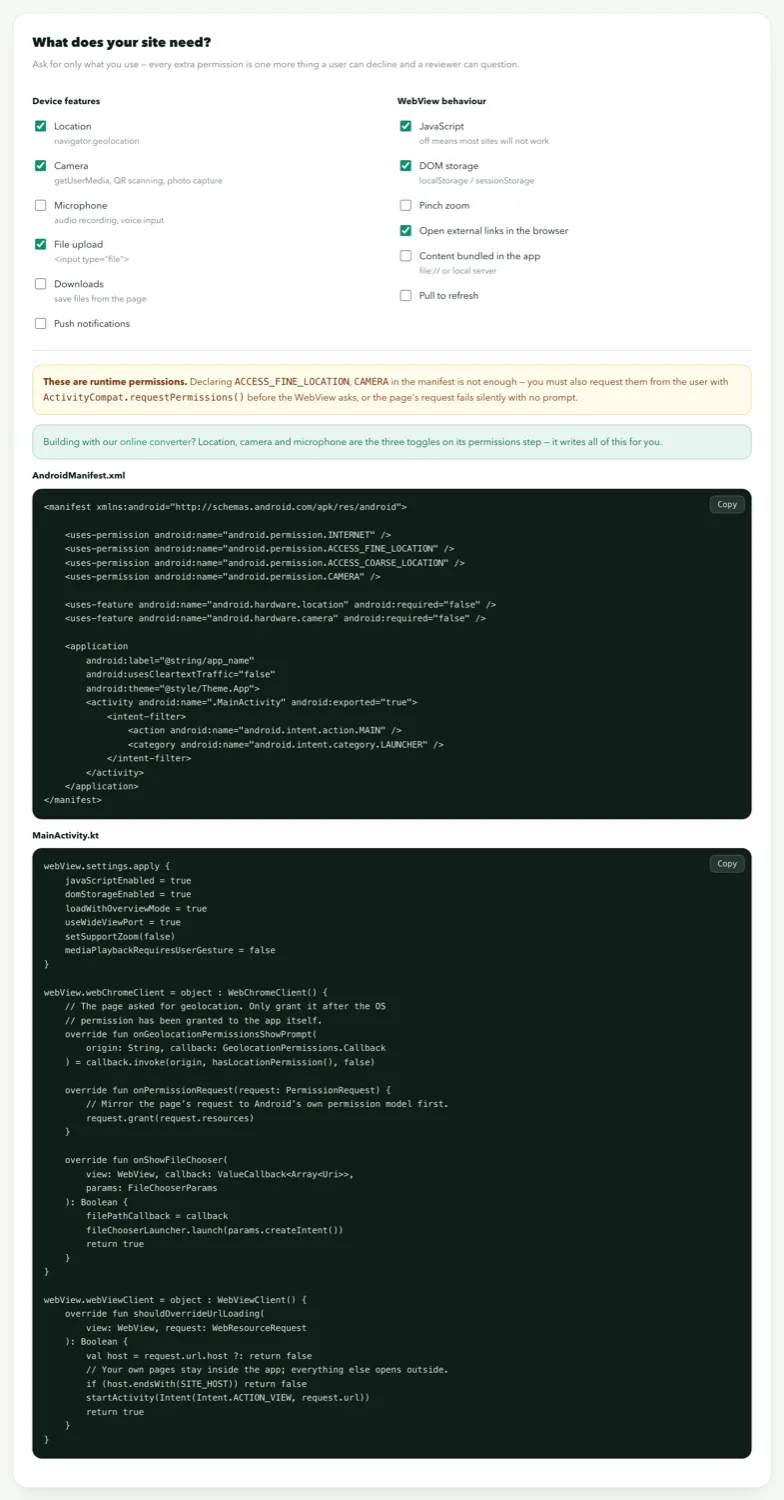
Things to check before you build
- The site loads over HTTPS. Mixed content — an HTTPS page pulling an HTTP image or script — is blocked inside apps just as in modern browsers.
- It has a viewport meta tag and works at phone width. The app cannot fix a desktop-only layout.
- It does not send a
X-Frame-Optionsor CSPframe-ancestorsheader that forbids embedding. A WebView is not an iframe, so most sites are fine, but a few strict setups block everything. - Cookie banners, chat widgets and popups behave at phone width. They are the things users see first.